
Comparison
Keep BGG. Add the app it never tried to be.
BoardGameGeek is the hobby’s library of record, and Ludoya syncs with it in both directions on purpose. This is not a replacement pitch — it is a division of labour: BGG for knowing everything, Ludoya for playing tonight.
Division of labour
Credit where due — a lot of it
BoardGameGeek is irreplaceable and this page will not pretend otherwise. The database of record for every game ever printed, twenty-five years of forum knowledge, rankings the whole hobby quotes, files, errata, the GeekMarket — no app replaces that, and Ludoya does not try: our game pages link their data sources and our sync exists so your BGG profile keeps being your BGG profile.
What BGG was never built to be is a phone-first app for the playing itself: logging at the table, tonight's game night, the club's schedule, who near you wants to play. That is the job Ludoya took. The comparison below is really a job description for each.
Side by side
Two jobs, two tools
Rows where one column is clearly the right tool are the point, not a gotcha.
| BoardGameGeek | Ludoya | |
|---|---|---|
| Database of every game ever | Synced from BGG | |
| Forums and 25 years of answers | — | |
| Global rankings and ratings | Six-dimension reviews | |
| Log a play at the table | Desktop-era | 20 seconds, offline |
| Shared plays across accounts | — | |
| Stats from your log | Play counts | Win rate, H-index, Replay |
| Find players near you | Forum threads | |
| Run a game night or club | GeekLists | |
| AI rules answers from the rulebook | — | |
| Your collection | Synced, plus loans and QR |
The bridge
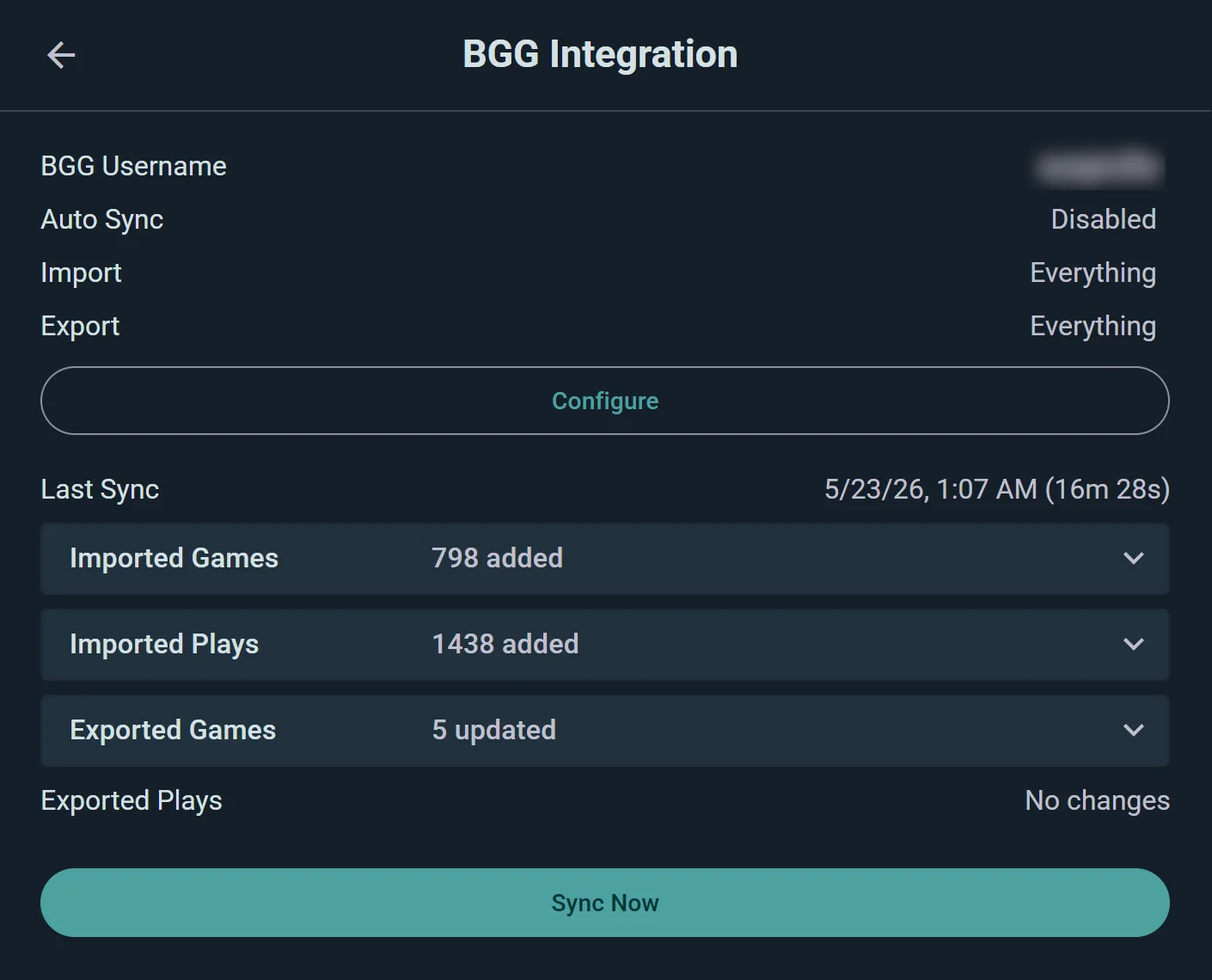
The sync is the whole point
Connect once and your BGG collection and play history arrive in one run; from then on, plays logged at the table can flow back. Ten years of BGG curation stays alive — it just stops requiring a desktop browser at 1am.
- Both directions, your choice. Import everything, export everything, or any asymmetry you prefer.
- Provenance kept. BGG-imported plays stay labeled — your Ludoya record never pretends.
- No abandonment. Your GeekBadges, your forum history, your decade — untouched and still yours.
The table
Built for the hands holding the phone
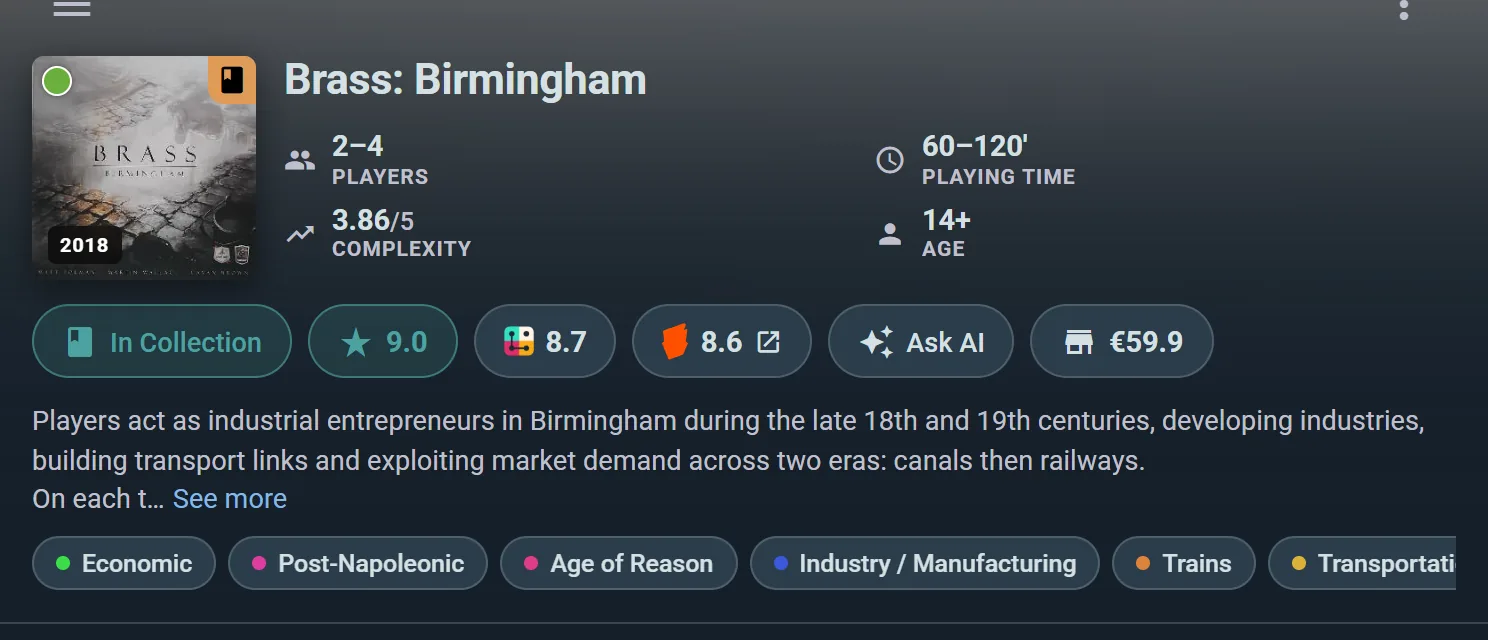
Game pages made for game night: player counts and complexity up top, the shop price, the rules assistant that answers from the rulebook with pages cited — and the log button always one tap away.
- Made for mid-game. “Can I build two canals in one era?” gets a cited answer, not a forum tab.
- Price on the page. Shops across countries compared where the wishlist decision happens.
- Offline at the table. The cellar with no signal is a supported environment; BGG needs the internet.
The people
BGG knows the games. This knows the gamers near you.
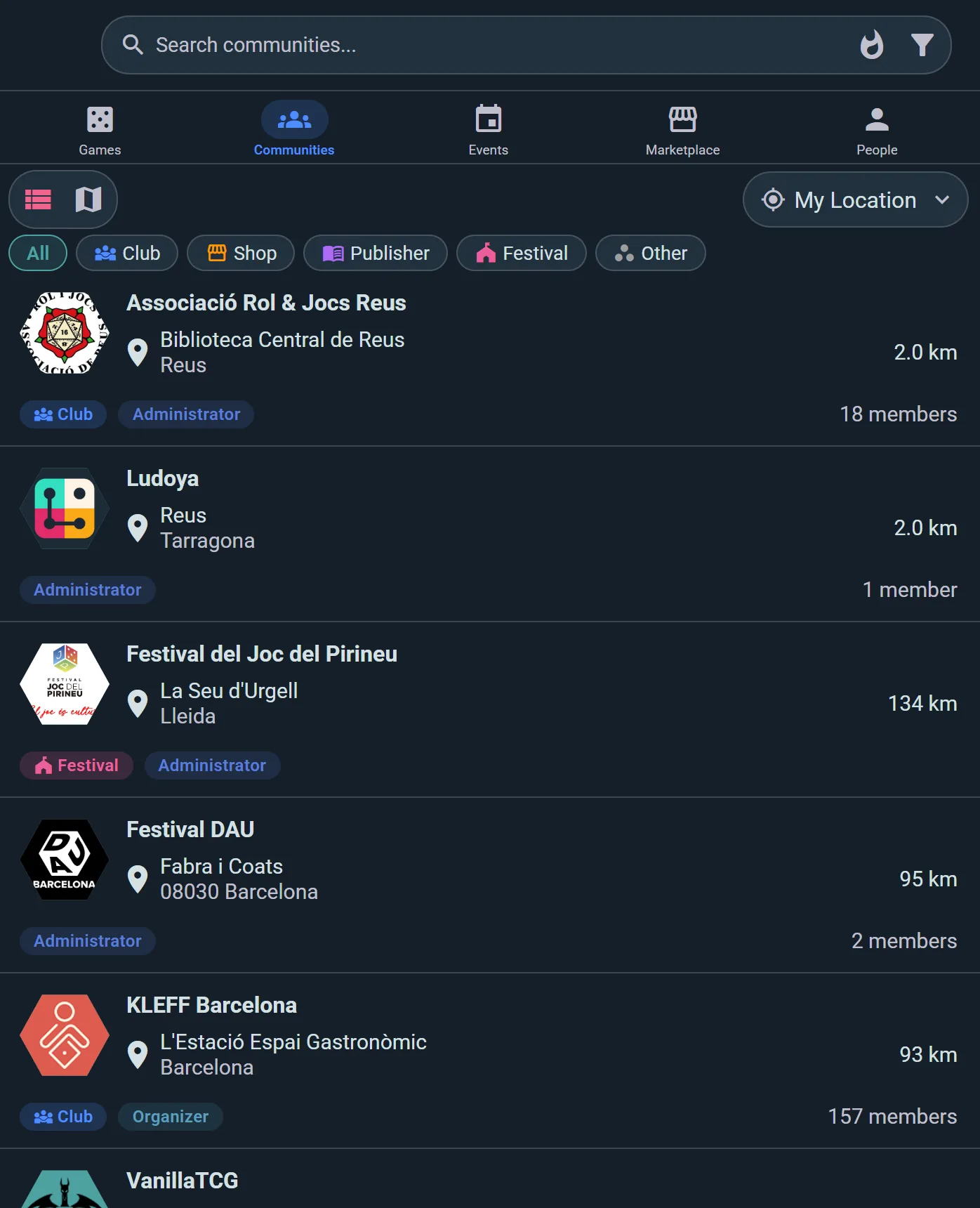
The part BGG structurally cannot do from a forum: players sorted by distance, clubs with open nights, events on a map, tables that need one more — the local scene as data instead of a sticky thread.
- Distance beats seniority. The club 2 km away matters more than the best post of 2011.
- Events are structured. Seats, schedules and RSVPs, not a thread with “I might come”.
- It feeds back. The plays from that night sync to BGG if you want them there.
The honest recommendation
Use both. Genuinely: keep BGG for research, rankings, forums and as the canonical home of your collection — and use Ludoya for the playing: the log, the stats, the game nights, the people. The two-way sync exists so this split costs you nothing and no data lives in only one place.
If one day you use only one of them, the export makes that possible in either direction. That is what "companion, not replacement" means in practice.
Two tools, one hobby, zero retyping
Connect BGG, import the decade, and log tonight’s play from the table.
Frequently Asked Questions
Is Ludoya trying to replace BGG?
No — the two-way sync is the clearest proof: it exists so your BGG profile stays current while you use Ludoya day to day. BGG is the hobby’s database and forum of record; Ludoya is the app for playing.
Does Ludoya use BGG’s data?
The game catalog is synced from canonical sources and game pages link back. Your personal BGG data (collection, plays) moves only through your own authenticated sync, in the directions you configure.
What happens to my BGG plays and ratings?
They stay on BGG, untouched. The sync imports copies into Ludoya (labeled as imports) and, if you enable export, sends your new Ludoya activity back — your BGG history only grows.
Why not just use the BGG app?
If BGG’s own tools cover your needs, use them happily. Ludoya exists for what needs a different architecture: shared plays, twenty-second table logging with score sheets, offline support, distance-based discovery, events with seats, tournaments and ticketing.
Are Ludoya’s ratings meant to compete with BGG’s?
No — reviews here rate six concrete dimensions (fun, interaction, appeal, uniqueness, replayability, accessibility) to help tables pick games; BGG’s global rankings remain the hobby’s reference and our pages don’t pretend otherwise.
What if I stop using one of them?
Nothing is hostage: the sync is optional, disconnectable, and everything you created in Ludoya exports. The companion arrangement is voluntary on both sides — that is the point.