
Switching to Ludoya
Bring the years with you
The reason people stay where they are is the history they would lose. Yours comes across — the shelf, the plays, the dates, the people you played with — from BGG, from Board Game Arena, or from a spreadsheet you export from anywhere else.
Three ways in
From BoardGameGeek
One username, and a decade lands
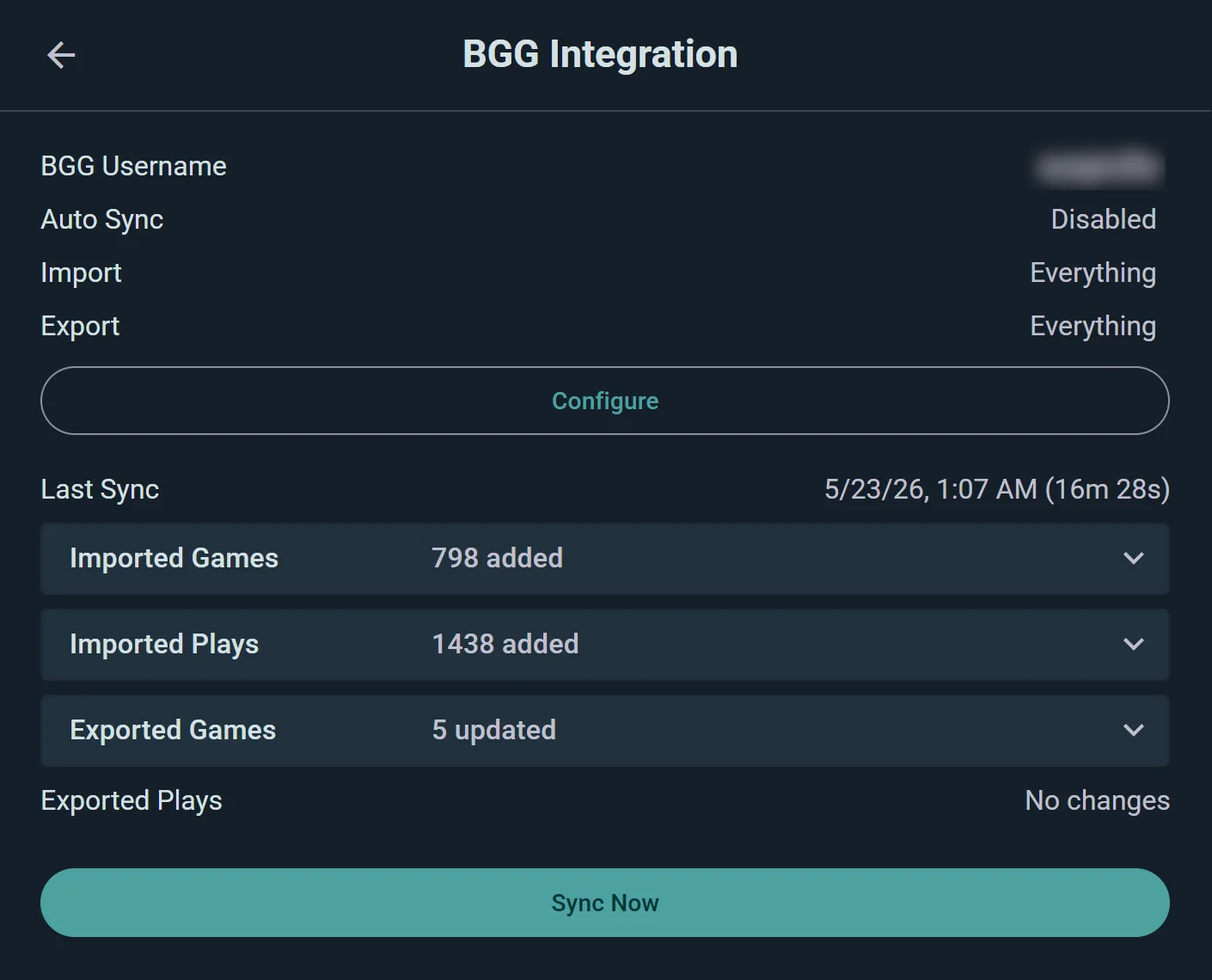
Connect BGG and choose what comes in: the collection, the play history, or both. Importing needs nothing but your BGG username — the password is only asked for if you also want changes flowing back the other way.
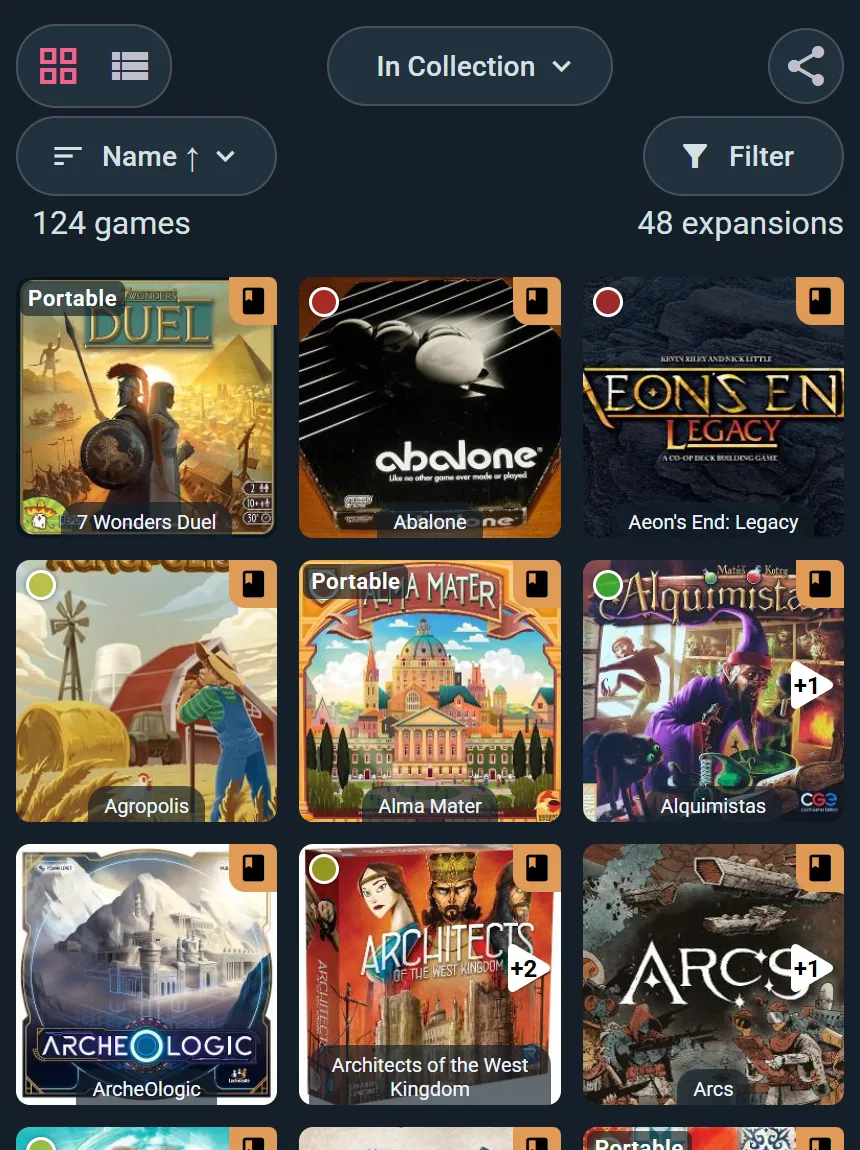
- The shelf, with its shades. Owned, previously owned, preordered and wishlisted arrive as what they are, with your ratings and the comments you wrote. Add your password and BGG’s private fields follow — price paid, acquisition date, who you bought it from, which shelf it sits on.
- Plays with their people. Date, length, location, scores, who won, who played first, who was new to the game. Players are matched to Ludoya accounts where they exist.
- Start where you like. Set a date and only plays from then on come across — useful when you are picking up where a previous migration stopped.
From a spreadsheet
Any file, your columns, no surprises
Upload an Excel or CSV file — a Ludoya export, a BGG collection export, or the sheet you have been keeping yourself. Ludoya recognises the formats it knows and asks you to map the rest, column by column.
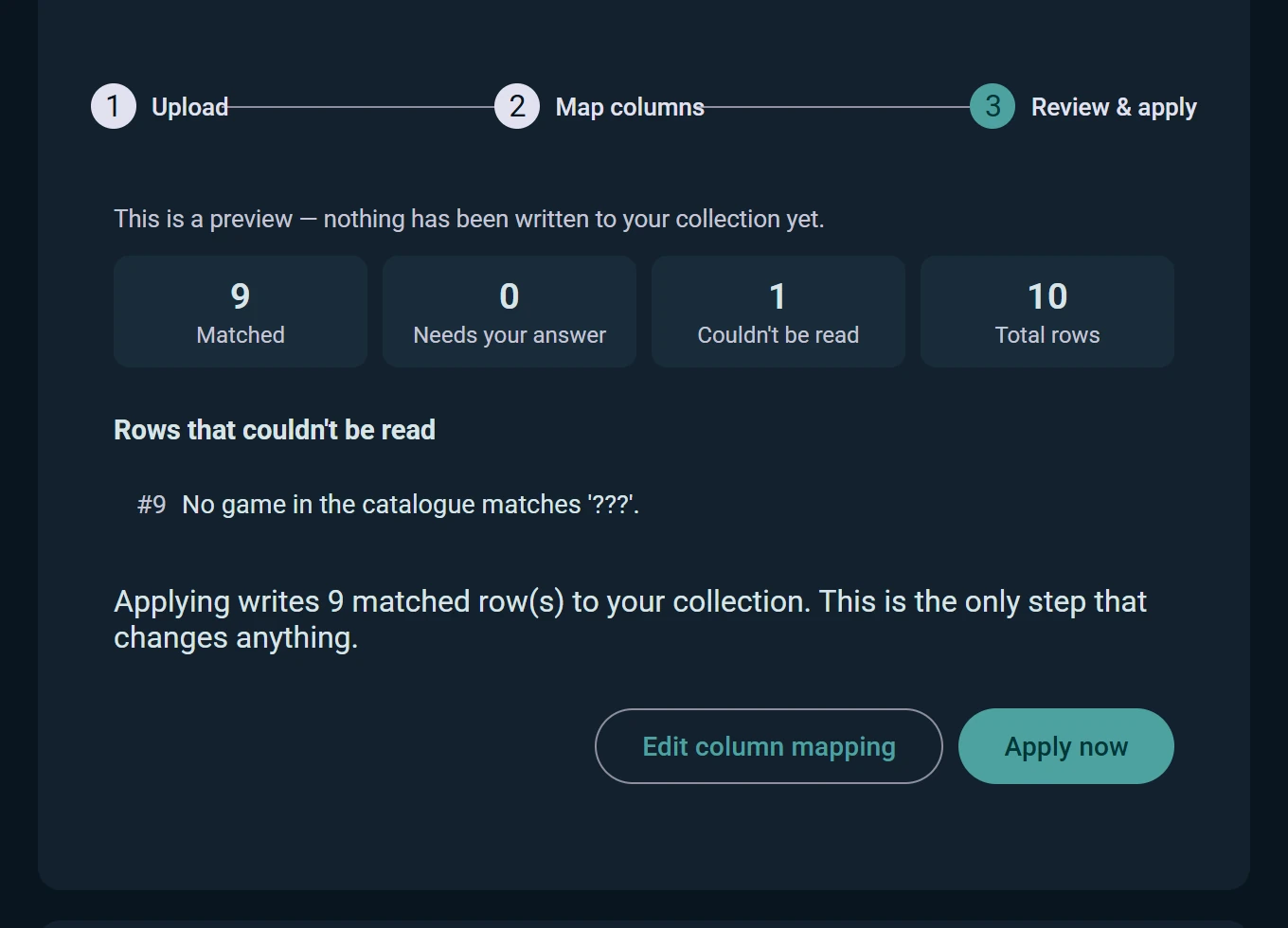
- A dry run first. Every row is staged and shown as matched, needing your answer, or unreadable. Nothing at all is written until you press Apply.
- You settle the ambiguous ones. Where a title could be two games, you pick. Where a name could be a friend, you confirm — unconfirmed people import as guests.
- Rows that failed come back as a file. Download just those rows, fix them in your spreadsheet, and import again. Up to 50,000 rows per file.
From Board Game Arena
The online half logs itself
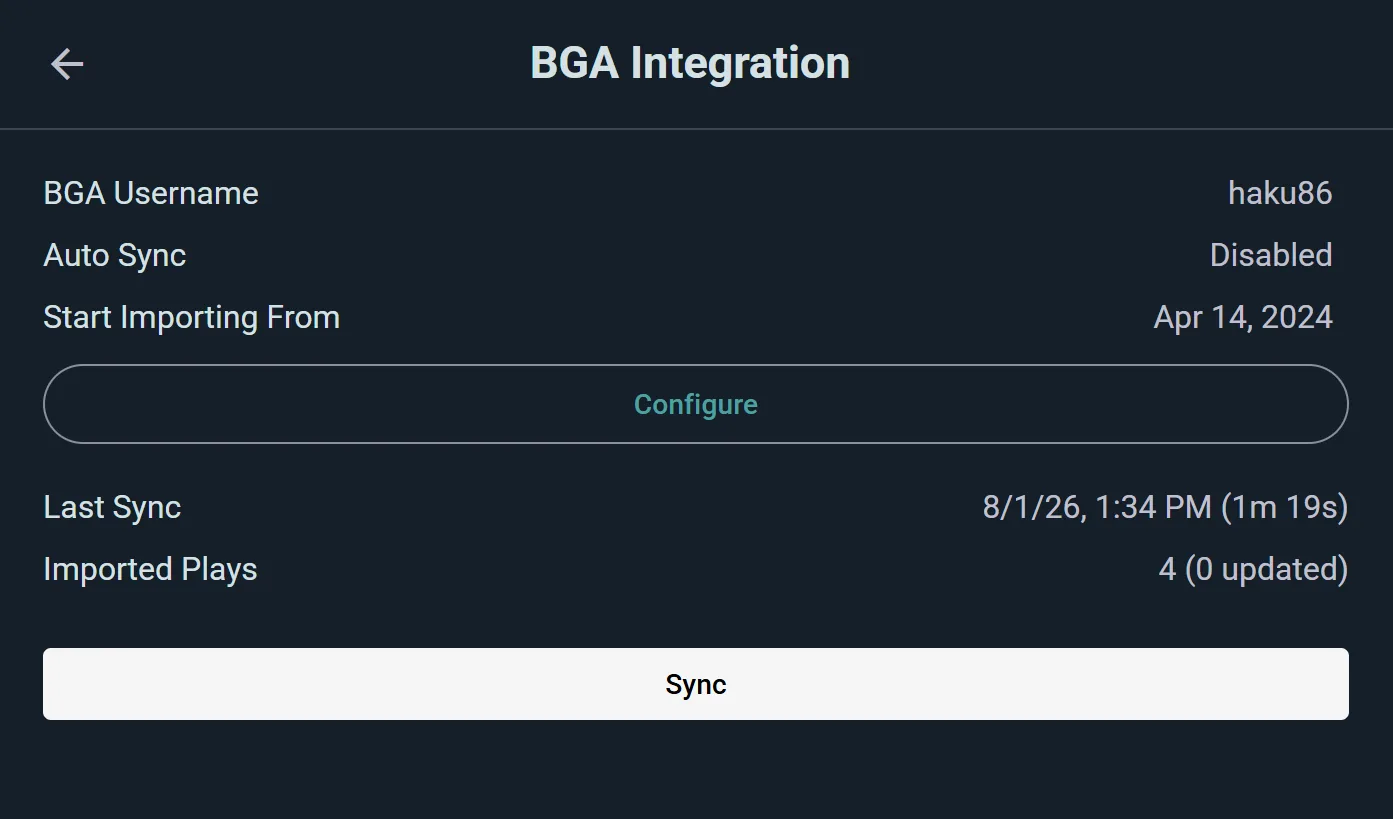
Connect Board Game Arena and finished tables arrive as plays on a schedule, with co-players matched by BGA username wherever they are also here.
- Plays, not boxes. BGA tells us what you played, never what you own — your collection stays yours to state.
- Pick a starting date. Import your whole online history, or only what happened after a date you choose.
- One table, one play. A shared table becomes a single play linking everyone matched, not four copies of the same evening.
What it actually takes
An evening at most, usually a coffee
Create the account
Free, and nothing to configure first. Web, Android or iOS — the same account everywhere.
Point it at your history
Settings → Integrations for BGG and BGA; Settings → Export & Import Data for a spreadsheet. Choose collection, plays, or both.
Review what it found
The sync reports what it brought. The spreadsheet import shows you every row before writing a single one.
Carry on playing
Log the next play here. If you kept the BGG sync two-way, that profile stays current on its own.
No lock-in
And you can leave the same way you arrived
Settings → Export & Import Data gives you your whole collection and play history as an Excel or CSV file, whenever you want, with no ceremony. Keep the BGG sync two-way and that profile never goes stale either. A platform that holds your data hostage is telling you what it thinks of its own product.
If you are moving a group, not just a shelf
Clubs and shops bring their people too
The history that matters to an organizer is a roster and a season of events, not a collection.
Your attendee list, pasted in
Paste names straight from a spreadsheet, or upload the .csv or .xlsx your form exported. Ludoya finds the ones who already have accounts and adds the rest as guests.
The club library as a collection
A club account is an account: the same BGG sync and the same spreadsheet import sit in its settings, so the club shelf fills exactly the way a player’s does.
Events start fresh, on purpose
Past events do not import. What is worth moving is the roster and the shelf; the next game night takes two minutes to publish.
What does not come across
Worth knowing before you start, because a migration that lies about itself is worse than one that takes an extra evening.
- Board Game Arena collections. BGA knows what you played, not what you own. Your shelf comes from BGG, from a spreadsheet, or from you.
- Forum posts, GeekLists and guilds. Ludoya imports your collection, your plays and your ratings. The rest of a BGG profile stays on BGG — which is part of why the sync runs both ways.
- Past events. Your roster moves; last year's calendar does not.
- Anything a file cannot say clearly. A row Ludoya cannot resolve is shown to you rather than guessed at. That is the slow part, and it is deliberate.
Your history, where it can finally be used
Import it once, and the stats, the shelf and the next game night follow from it.
Frequently Asked Questions
Do I need my BoardGameGeek password?
Not to import. Your collection, plays and ratings come across with nothing but your BGG username. The password is asked for when you want changes flowing back to BGG — and because BGG only serves the private fields of a collection to someone logged in, it is also what brings price paid, acquisition date and inventory location with them.
Can I import a spreadsheet that is not from BGG or Ludoya?
Yes. Upload any .xlsx or .csv and map your columns to Ludoya’s fields yourself — game, ownership, rating, notes, price paid, date, players, scores and the rest. Known formats are recognised automatically; everything else you map once.
What if the import gets a game wrong?
It asks instead of guessing. Rows are staged first and shown as matched, needing your answer or unreadable, and nothing is written to your account until you press Apply. Rows that fail can be downloaded as a workbook, fixed and imported again.
Do imported plays count in my statistics?
Fully, with their original dates — win rates, head-to-head records, the calendar and the rest. They stay labelled as imported, so your record is honest about where it came from.
What happens to the people in my old plays?
They arrive as named players. Where a name matches someone on Ludoya you are asked to confirm it, and confirmed players get the play in their own history. Anyone left unconfirmed is kept as a guest, so nothing is lost and nobody is credited with a play that was not theirs.
How big can the file be?
Up to 20 MB and 50,000 rows per import, and you can run as many imports as you need. A large collection with years of plays fits comfortably.
Does importing cost anything?
No. Import, export and both syncs are part of the free core, with no limit on collection size or play count.
Can I get my data back out?
Any time, from Settings → Export & Import Data: your collection and your play history as Excel or CSV. The same file imports straight back, here or anywhere that reads a spreadsheet.