
Numbers tell the story of your gaming life. Ludoya collects stats at every level — from quick dashboard snapshots to deep dives into your play patterns.
Available at Every Level
Full User Stats Page
Your complete gaming profile with all the statistics below. You can also peek at other users' profiles if they're public.
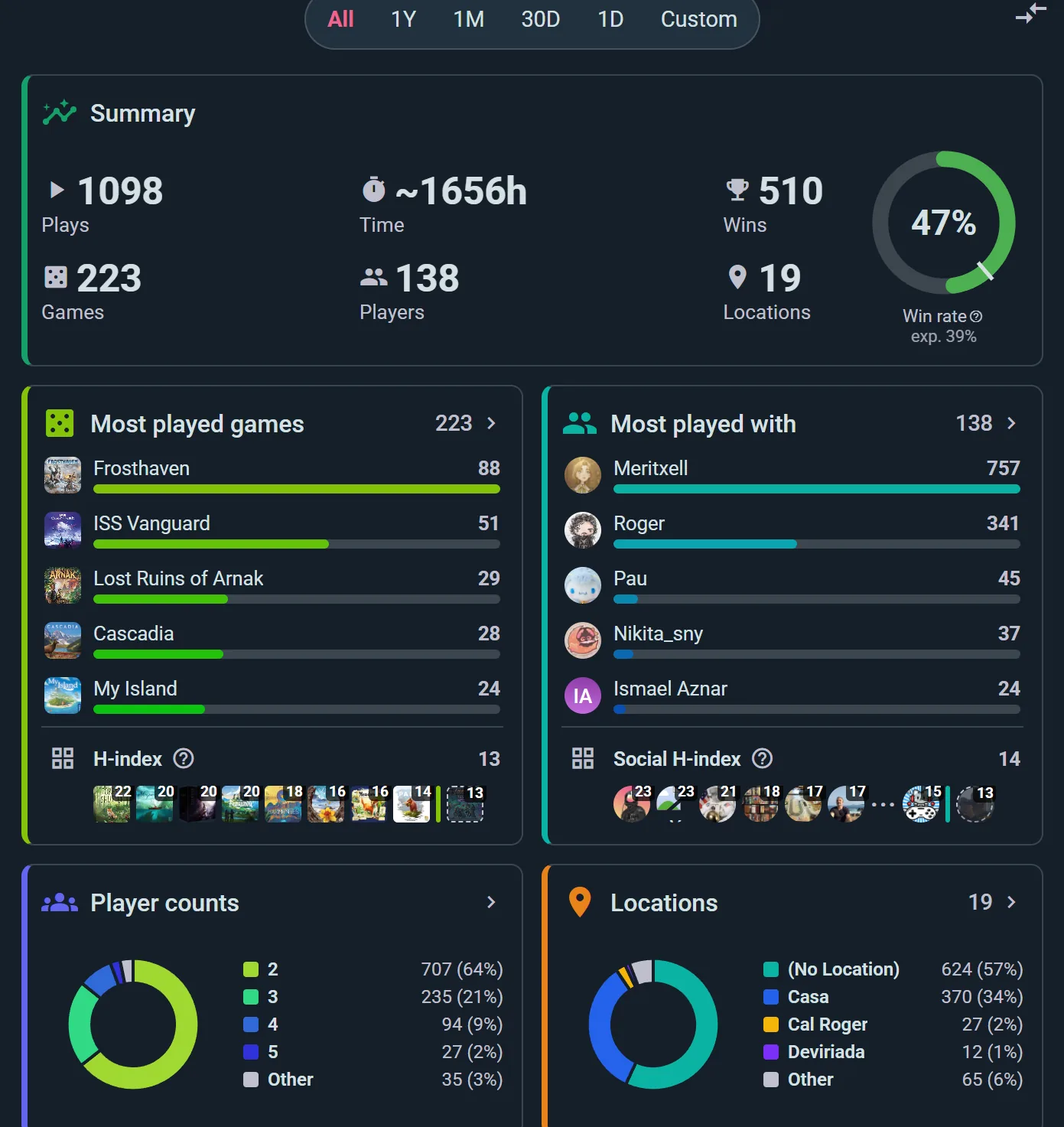
The period chips at the top — All, 1Y, 1M, 30D, 1D or a Custom range — re-cut every figure below them, so the same page answers "all time" and "this month" without leaving it. Underneath sit your headline totals and the most-played chart, with the H-index row showing which games clear the threshold.
Game Personal Stats
Dive into one game — your record with it, how you stack up, detailed scoring history.
Game Community Stats
See the big picture — how many people own this game, how often it's played worldwide, top scorers across the community.
Group Stats
If you're in a gaming group, see collective stats for that group's play history.
Time Period Filtering
Every stats view lets you pick a time window:
- Presets — All, 1Y, 1M, 30D, 1D, or a custom range. Note that 1Y and 1M are calendar windows — a whole year or a whole month — which is what makes the step arrows useful for comparing one month against the last
- Custom Range — Pick any start and end date
- Step Backward/Forward — Click arrows to navigate through windows (useful for comparing one month to the next)
User Stats Page
Your complete gaming report:
Play Statistics
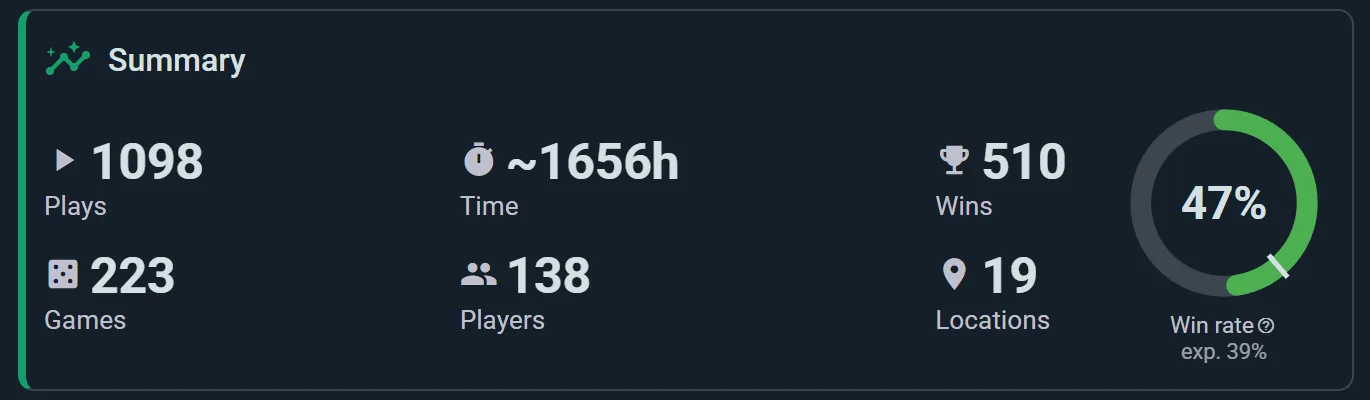
Six tiles across the top, plus a win-rate gauge:
- Plays — how many times you've played
- Time — hours at the table. Plays where nobody logged a duration are estimated from the game's typical length, so the figure stays meaningful even when you forget to time things. When any play in the figure was estimated, it starts with a ~
- Wins — games you've won
- Games — how many different titles you've played
- Players — how many different people you've played with
- Locations — how many different places you've played
Ranked Your Way
Your most played games, people and places can be ranked by time at the table or by number of plays. A two-hour game played twice may matter more to you than a filler played ten times; choose under Stats ranking in Settings → Play stats. The same page decides whether untimed plays are estimated (Estimate untimed plays).
Your H-index
Two of the most interesting numbers on the page:
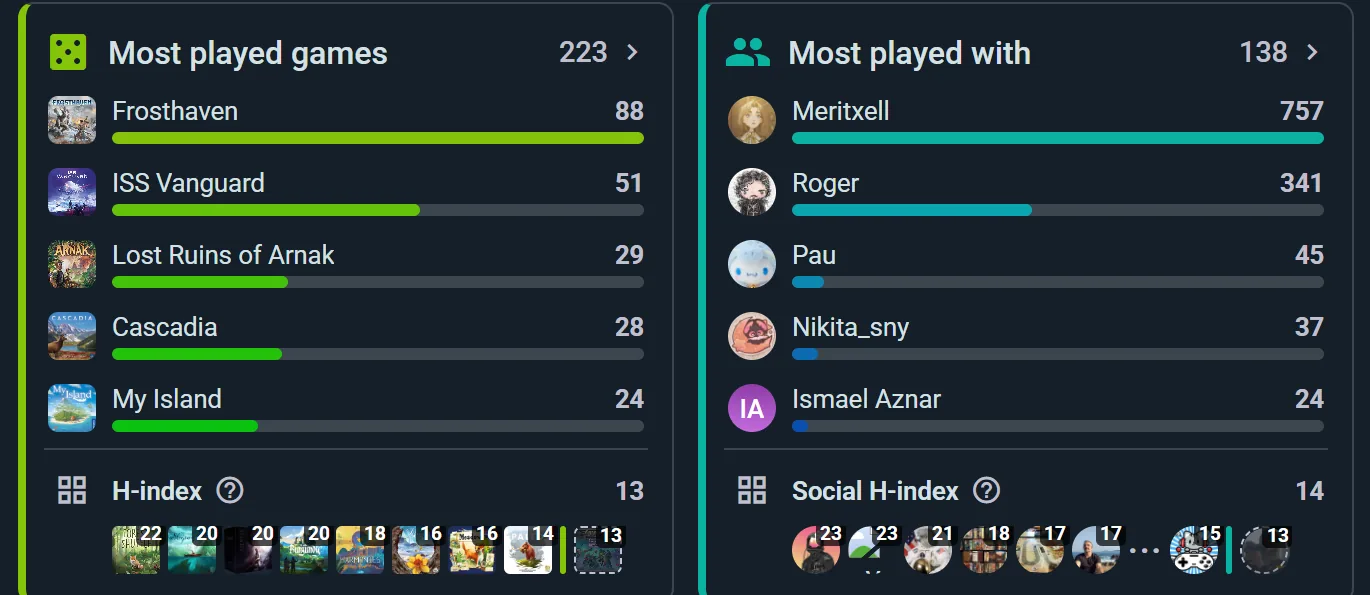
- Games H-index — the largest N where you've played N different games at least N times each. It rewards depth and breadth: playing one game 50 times won't move it, and neither will trying 50 games once
- Social H-index — the same idea for people, N players you've played with at least N times each
Both appear once you're above 5, with a marker on the charts showing where the threshold sits.
Most-Played Games
A bar chart of your top games by number of plays in the selected period. Tap it to open the full table — sortable by plays, time, average length, wins or win rate, with a column picker for the rest.
Most-Played-With Players
A sortable table of everyone you play with: plays together, total and average time, how many different games, locations, wins, win rate, and their average and best scores. Win rate is ranked fairly, so someone you've played twice doesn't top the list on a fluke.
Plays Over Time & By Weekday
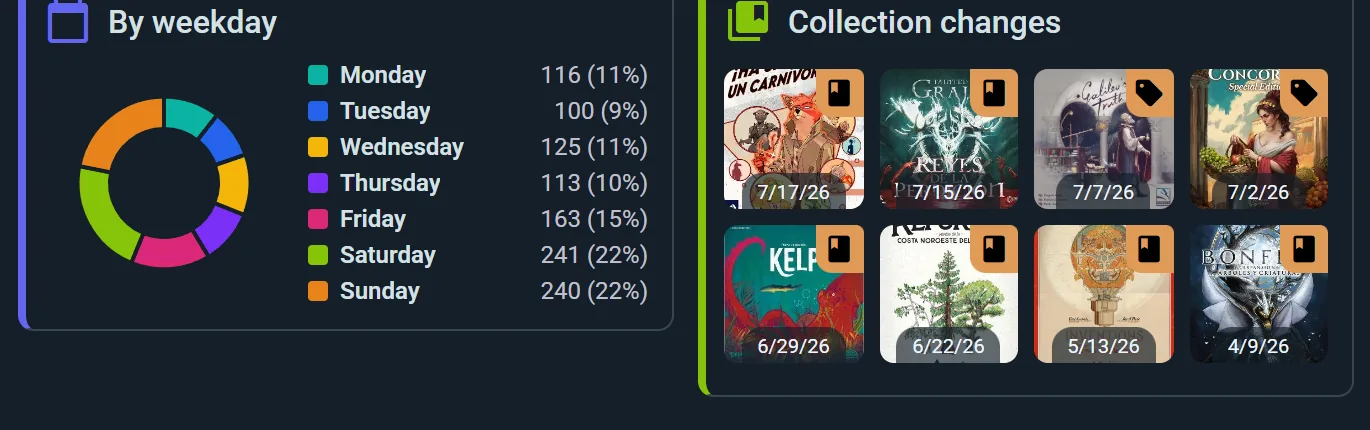
A column chart of your activity across the period — bucketed by day, month or year depending on how much you're looking at — and a donut showing which days of the week you actually play on. There's a Locations donut too.
Compare With Anyone
Two players side by side, including a game-by-game record between you. See Head to Head below.
Player-Count Distribution
A pie chart breaking down:
- How many plays happen at each table size (2-player, 3-player, etc.)
- What percentage of your plays that represents
- Average duration at each table size
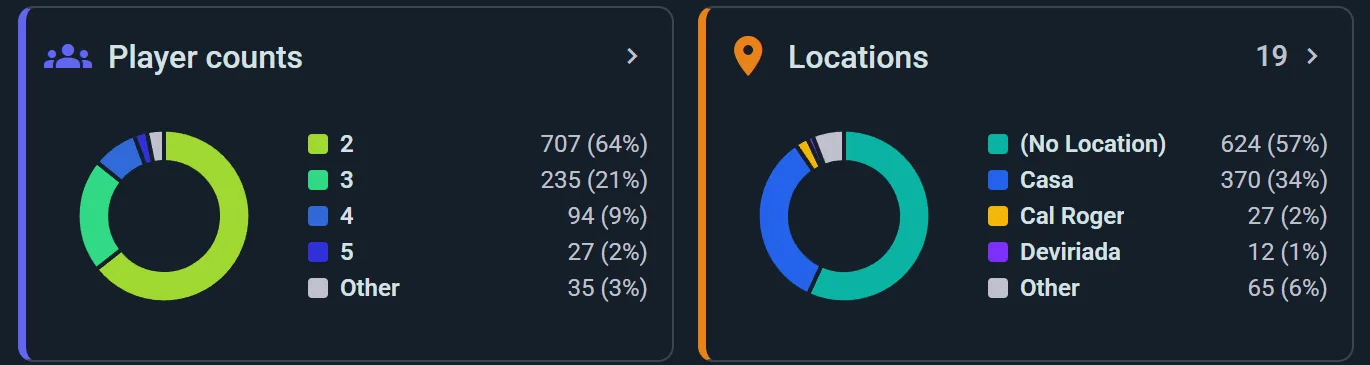
Useful for answering "Am I more of a party-game person or a heavy two-player enthusiast?"
Collection Changes
Shows which games entered or left your collection during the selected period.
Head to Head
Tap the compare icon on your stats — or Compare with me on someone else's profile — and you get the two of you side by side.
Six bars, each drawn to scale so you see the gap rather than reading two numbers: Plays, Win %, Time, Games, Players and Locations.
Then the part worth scrolling to: shared games. Every game you've both logged, with the lifetime score between you — 4–2, 7–7, 1–5 — green where you're ahead, red where you're not. It settles the argument about who's actually better at Catan, with dates behind it.
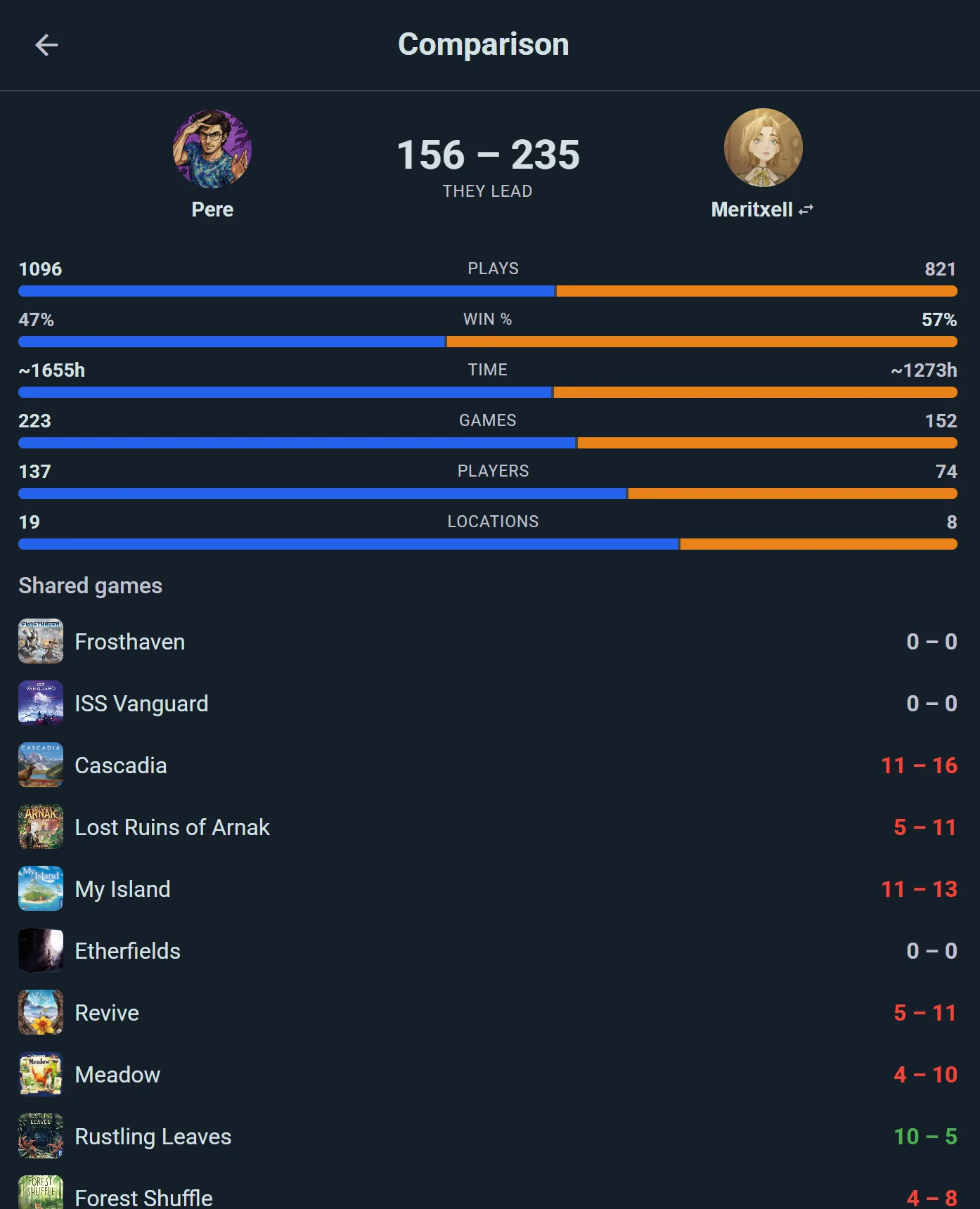
The period selector applies here too, so you can compare this year, last month, or all time. Swap opponent without leaving the page.
Game Personal Stats
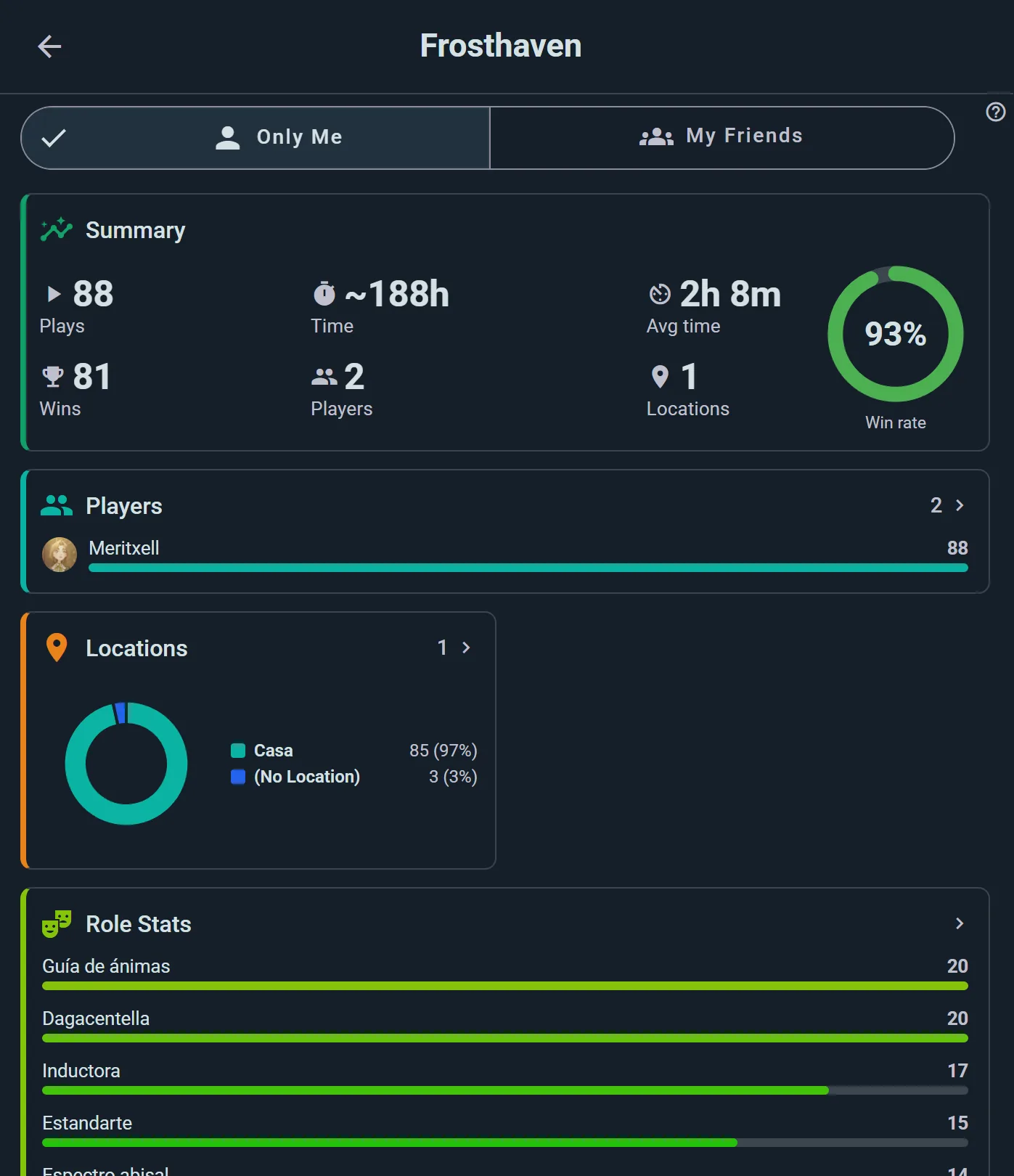
Depth on one game you love:
Play Count & Duration
Total plays, total time, average per play.
Win Rate
Your win percentage with optional baseline — color-coded to show whether you're above or below average for that game. (Everyone's win rate varies by player count and opponent strength.)
Data from your logged scores:
- Highest Score — your personal best
- Highest Defeat — your best effort that still lost
- Average Victory — your mean score when you won
- Average Score — your mean across all plays
- Lowest Victory — the lowest score you've ever won with
- Lowest Score — your personal worst
Tap any of them to jump straight to that play.
Only Me or My Friends
Only Me or My Friends, at the top, re-scopes the whole page: see just your own record with the game, or widen it to include the people you play with.
Top 5 Scores
Your five best scores ever in this game, with dates and opponent info.
Your Scores Over Time
A line of your scores, play by play, with your personal best and worst marked — are you getting better at it?
With and Without
For each expansion you've played, your plays, wins and average score with it and without it. A side with fewer than three scored plays shows its numbers but no verdict.
Role Stats (If Applicable)
If the game has roles or factions:
- Plays, time, and wins per role
- Which role performs best for you
- Which role you enjoy most
Location Stats
Breakdown of where you've played this game.
Player-Count Breakdown
How many plays at each table size, average time at each.
Per-Opponent Table
Statistics for each player you've faced in this game — plays together, wins, win rate, and their average and best scores.
Wins by Turn Order
How often you win from each seat in the turn order — see Wins by Turn Order below.
Game Community Stats
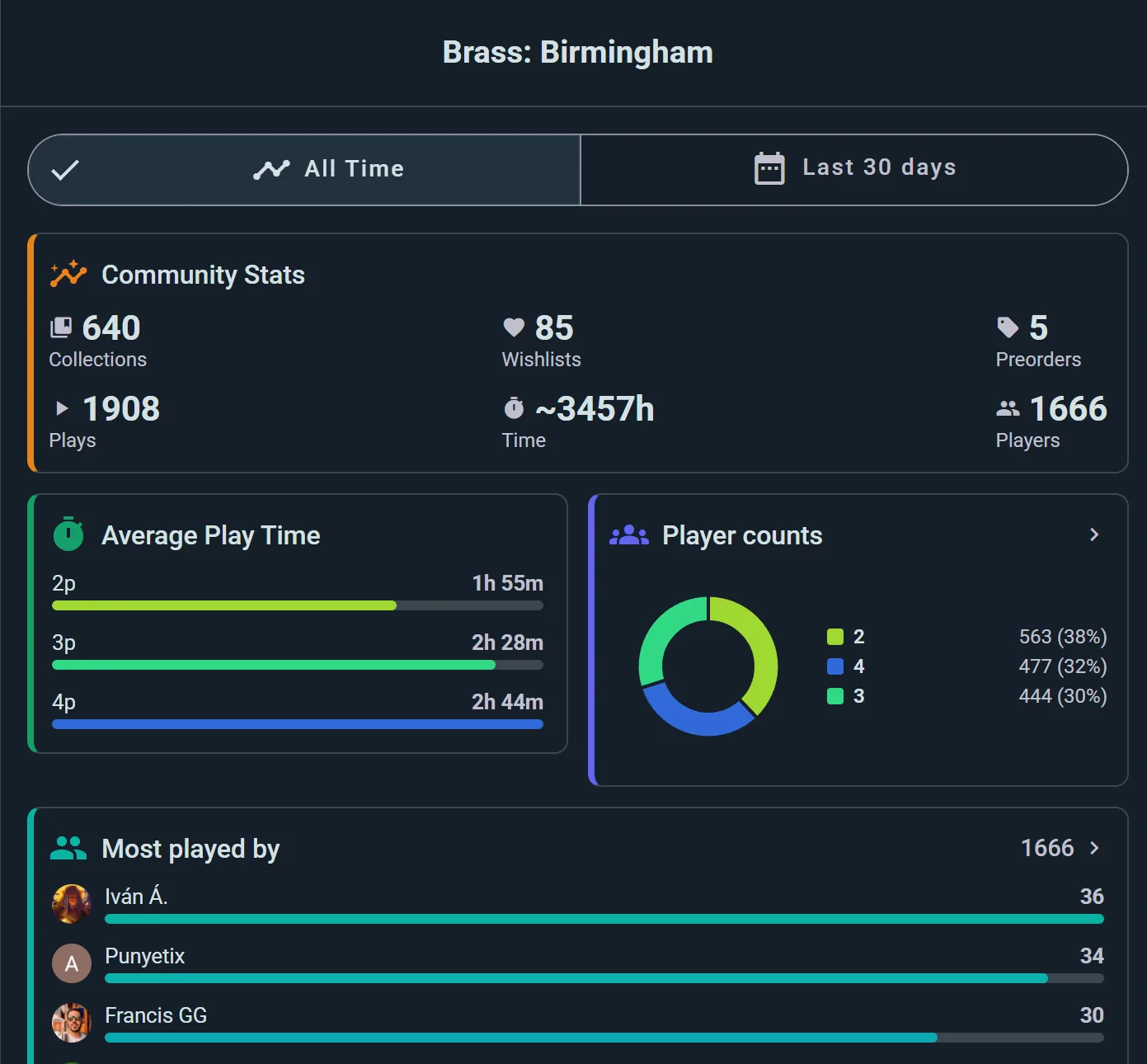
The big picture for any board game:
Ownership Counts
- Collections — How many Ludoya members own it
- Wishlists — How many want it
- Preorders — How many have it on reserve
Play Data
- Plays — how many plays have been logged globally
- Time — cumulative hours spent on this game
- Players — how many different people have played it
Performance Patterns
- Average play time — how long it really takes, which is often not what the box says
- Player counts — how the community actually plays it, so you can see whether that "2–6 players" game is really a four-player game
- Wins by turn order — whether going first helps, at each table size (see below)
- Top scores — the highest scores anyone has logged, with who scored them, and under them your own best score and your place among everyone ("You: 208th of 318") when you're further down
- Most played by — who's playing it most in the community
Time Window Filter
Switch between All Time or Last 30 days to see if the game's popularity is rising or stable.
Wins by Turn Order
Does going first help? On a game's community stats, and on your own stats for it, Wins by turn order shows how often each seat in the turn order wins: "1st to play" is whoever took the first turn, "2nd to play" went next, and so on.
- On a game's page, each bar shows how many plays that seat won, and a line marks a fair share: one in two at two players, one in three at three.
- On your own stats, each bar shows your wins from that seat, and the line marks your own win rate at that table size. A good player wins more than a fair share from every seat; what matters is whether one seat does better for you than the others.
Under the bars, Ludoya says whether the gaps are larger than chance would leave, and names the seat when one stands out ("Turn order matters here: going 1st does best", or on your own stats "You do best going 1st"). A few plays can make one seat look like a favourite by luck alone, so "No seat has a clear edge" is often the honest answer, and with too few plays from some seat Ludoya says it can't tell yet, and roughly how many it would take. A seat with fewer than five plays shows its count, without a bar or a percentage.
Pick the table size at the top: going first can matter at two players and not at five. A table size shows up once it has enough plays to say something: on a game's page 20 at two players and 16 more for each extra seat, on your own stats five for each seat at the table (10 plays at two players, 15 at three).
It counts the plays logged in Ludoya with a single winner and every player's turn order set. Shared and team wins are left out, since they credit several seats at once. Plays imported from BoardGameGeek and other apps are left out too: they usually number the players in the order they were typed in, not the order they played in, which would make whoever logs the game look like the first player. In the My Friends view of your own stats the widget is hidden, as it would mix other people's seats with yours.
Group Stats
For gaming groups or clubs:
Summary
- Total Plays — Group's play count
- Play Time — Group's total gaming hours
- Most-Played Games — Ranked list of group favorites
- Top Players Leaderboard — Members ranked by plays, hours, or wins within the group
Filterable by time period to track trends.
Running the club? The console's Insights → Analytics goes further, on the Club plan (see the plans): your members, attendance, the nights that fill and the games that gather dust.