A Play Booth is an event type built for places where games run all day: convention demo areas, game store open tables, and publisher booths. Instead of one fixed session, a booth offers tables across time slots, running one game or several. Players tap the slots they're free and say which of the games they fancy, Ludoya pools their availability, and games are formed the moment enough players overlap — automatically, or with the organizer's confirmation.
A booth can stand alone, or live inside a bigger event — a demo booth inside a convention, an open-play corner inside a store night.
Setting Up a Booth
Create one from your group or event page with Organize Booth. The booth's configuration shapes how sessions run:
- Games — the titles the booth runs. List one for a single-game stand, or several and let players pick between them
- Planning mode — Grid runs sessions on fixed time slots; Free form lets games start at any time within the booth's hours
- Slot length — the unit the grid is divided into. Each game takes as many slots as its own play time needs, so a filler occupies one and a heavier game occupies three in a row
- Max players per session — the seat count at each table
- Min players to start — how many available players a time window needs before a game can be arranged
- Tables — pick named tables from your venue's floor plan, or just set a table count
If your venue has an interactive floor plan, the tables you pick become real spots on the map, so players can see exactly where each game happens.
Joining as a Player
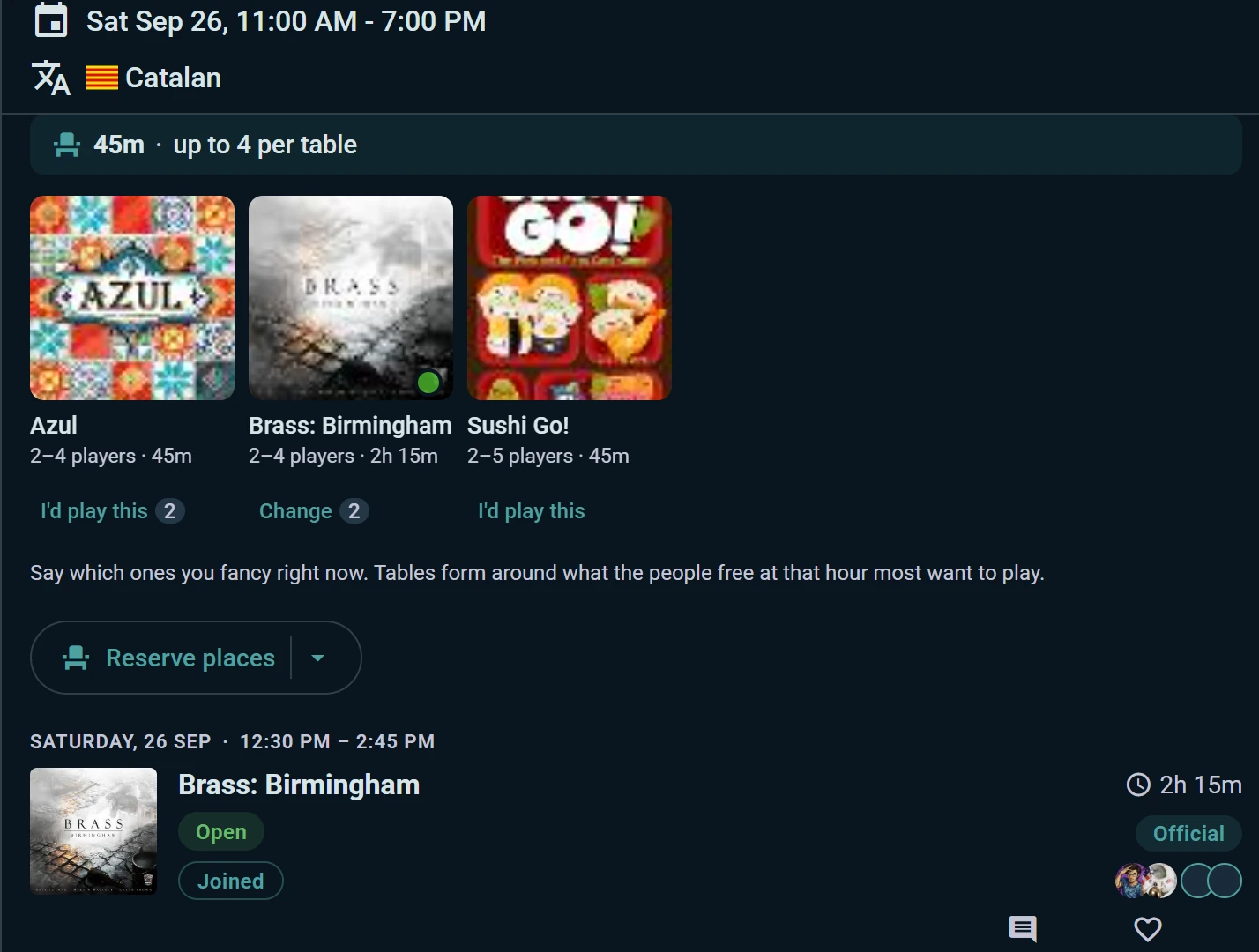
The booth page opens with the games on offer: each one shows how long a table of it runs, how many players it seats, and how many people fancy it. Tap I'd play this on the ones you're up for — that is what decides which game a free table runs when several would fit. Below them, the schedule is a day-tabbed timeline, and each slot displays how many players are already pooled for it.
- Tap a free slot — the I want to play sheet opens
- Confirm the slot, and optionally mark more times under "Also free at?" — the more slots you give, the easier it is for a game to come together
- Bring companions — add friends or guests to your booking, and they're seated with you
- Done — when a game is arranged for one of your slots, you're seated automatically
Playing once doesn't take you out of the pool. Only the hours you're actually sitting at a table are spent, so if you're free all afternoon you can be seated at a short game at noon and a longer one later.
If a slot overlaps a game you've already joined, Ludoya warns you before you double-book. You can edit your slots or withdraw at any time from the "You're in for this slot" marker.
How Games Get Arranged
Availability is pooled per time slot. Once a slot reaches the minimum player count, a game can start — and who decides depends on the booth's arrange mode:
- Auto — Ludoya starts games automatically whenever enough players are free
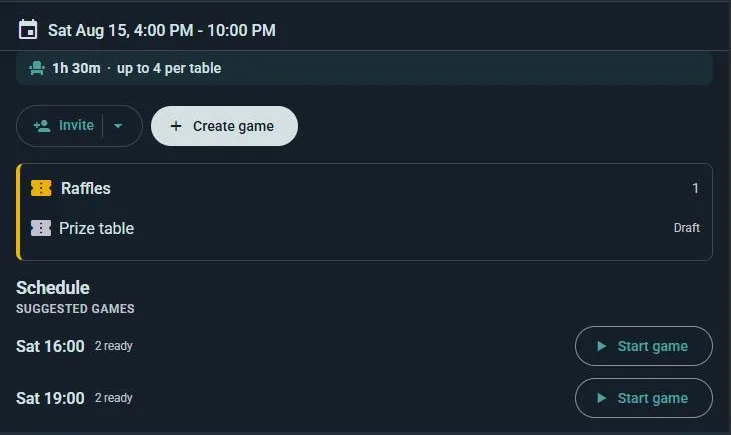
- Propose — Ludoya suggests ready-to-go games ("N players ready"); the organizer taps Start game to confirm each one
- Manual — the organizer creates each game by hand, picking a time and a table; players available for that window are seated automatically and any remaining seats stay open for others to join
On a booth with several games, the one that comes out is the one seating the most people at that hour, and where two would seat the same crowd, the one those very players said they most want to play. Its length decides how much of the grid it takes: the slots it runs through show as busy rather than bookable.
Every arranged session becomes a real game session on the schedule — with its own participant list, and playable as a live session at the table.
Best For
- Convention demo booths — publishers showing a game all weekend, seating walk-ups slot by slot
- Publisher stands with a range — two or three titles on one table, each played when the people in front of it want it
- Game stores — open-table nights where staff arrange games as players trickle in
- Large events — an always-on play area alongside the main scheduled games lineup
Sign-Ups Are Required
A booth seats people at tables, so it needs to know who's there. That means No Sign-Ups isn't available on a booth — pick RSVP, or External Sign-Ups if registration happens on your own site and you manage the list yourself. See Attendance Modes for what each one does.
Everything else about a booth is free, on any plan.