
Most clubs don't have one kind of member. There are founders who never pay, regulars on the yearly fee, supporters who give a bit more, students at half price. Membership tiers put that on Ludoya: each member sits on one rung of your club's ladder, and the rung decides what they pay and what they can do.
Tiers live in the club console, under Members → Membership tiers.
The Ladder
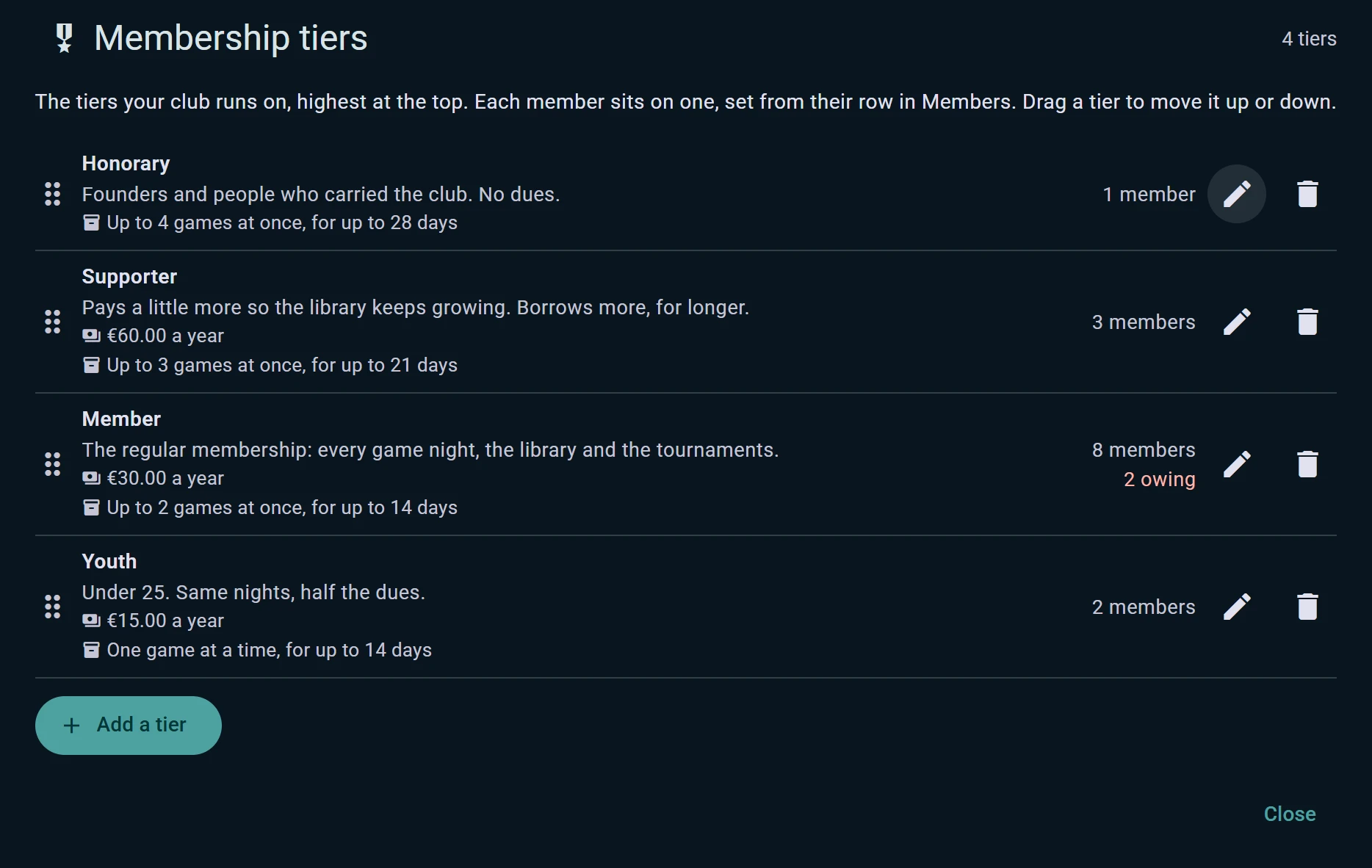
The ladder runs from the highest tier at the top to the lowest at the bottom. Drag a tier to move it up or down. For each tier you set:
- A name and what it means, like "Supporter: pays a little more so the library keeps growing"
- Dues: the price, currency and whether it's paid monthly or yearly. Leave it empty for a tier with no fee, like honorary members
- Borrowing limits: how many games a member can hold at once, and for how long
- Who sees it: a public badge next to the member, in the club and on their profile, or Admins only, so only the club's admins know who is on it
Order matters: when a game or a night is kept for a tier, everyone on that tier and above gets it. Put a member on a tier from their row in Members. Deleting a tier moves its members one rung down, never out of the club.
What a Tier Unlocks
- Games from the club's library. Mark a copy as kept for a tier and only members from that tier up can borrow it. Borrowing works per copy, so the club's second copy of a popular game can stay open to everyone. When someone can't borrow a title, the event shelf tells them why.
- How much they can borrow. Each tier's borrowing limits apply on top of the library's own rules, at the lending desk and when members ask for a loan.
- Nights and seats. In an event's sign-up settings, Seats are kept for a membership tier keeps the night for a tier and above, and Only members whose dues are in order keeps it for people who have paid.
- Member prices. A ticket can have a member price for members whose dues are in order.
- Permissions. The console's permissions table has a column per tier, so a rule like "host events" can be given from a given tier up.
A member whose membership lapses drops to the lowest tier until they renew. They stay in the club.
Collecting Dues
Each tier chooses how its dues are paid:
- The club collects it: cash or a transfer, as most clubs do today. When someone pays, Mark dues paid on their row and their membership moves on by one period. Select a roomful of members at once after the yearly assembly: each moves on by their own tier's period.
- By card, through Ludoya: members pay each period from the club's page, the money goes to the club's Stripe account, and the payment marks them paid without anyone doing it by hand. Connect the club's Stripe account in Plan and payouts first. Card dues are part of the Club plan.
Members see where they stand on the club's page: until when they're covered, or that they're not up to date, with a button to pay if the tier takes cards.
Who Owes, and Who Renews Soon
The members table shows every member's tier, whether their dues are up to date and the date they're paid until. Two filters sit above it:
- Dues owing: everyone behind on their dues, ready to remind or to mark paid
- Renewing soon: everyone whose membership ends within a month
The console's dashboard counts the members who owe their dues, and Plan and payouts adds up what the club has collected and what it's owed, card payments included.
Made a mistake? Clear dues puts a member back to owing. Every change to a tier or a member's dues is written to the club's audit log.