

2022 · Erweiterung für das Basisspiel
Dune: Imperium – Rise of Ix
Drei neue Große Häuser schließen sich dem Kampf an, jedes mit einer einzigartigen Anführerfähigkeit, die die verfügbaren Strategien verändert. Spieler erwerben ixianische Technologien, um dauerhafte Boni zu erhalten und neue Aktionen freizuschalten. Dreadnoughts kommen als mächtige Einheiten ins Spiel, die die Luftkontrolle an sich reißen und die Positionierung auf dem Spielbrett beeinflussen. Neue Infiltrator-Mechaniken ermöglichen verdeckte Interaktionen und die indirekte Störung der Pläne der Gegner. Ein optionaler Epic-Modus verlängert das Spiel und erhöht den Einsatz mit erweiterten Zielen und intensiverem Wettbewerb.
- Spieler
- 1–4 am besten mit 4
- Spielzeit
- 60–120 Min.
- Alter
- 13+
- Komplexität
- 3,2 / 5
Über das Spiel
- Autoren
- Illustration




Erweiterung für
In Ludoya ansehen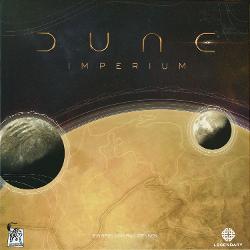

Erweiterungen
In Ludoya ansehen

Wo kaufen
Shop-Preise und gebrauchte Exemplare, täglich geprüft.
An Ludoyas Tischen
Alle Statistiken in Ludoya- 182
- Erfasste Partien
- 124
- Spieler
- 2h 7m
- Durchschnittliche Partie
- 273
- In Sammlungen
- 13
- Auf Wunschlisten
8,7/10
aus 56 Ludoya-Rezensionen
Regelfragen
Aus der Spielanleitung beantwortet von Ludoyas Regelassistenten.
Wie erwerbe ich Technologieplättchen – was bewirkt das Symbol „Technologie erwerben“ und wie funktionieren Rabatte?
Löse das Technologie-kaufen-Symbol aus, um einen beliebigen offen ausliegenden Plättchen aus dem obersten Bereich eines der drei Ix-Stapel zu nehmen, seine Gewürzkosten zu bezahlen, es in deinen Vorrat zu legen und anschließend das nächste Plättchen dieses Stapels aufzudecken. Einige Technologie-kaufen-Symbole enthalten einen Technologie-Rabatt von -1 oder -2 Gewürzen, der nur diesen einzelnen Kauf vergünstigt, aber nicht mit anderen aufgedruckten Rabatten kombiniert werden kann (du darfst ihn weiterhin mit Verhandlern kombinieren). (Siehe Seiten 4 und 12.)
Was bewirkt das Platzieren eines Verhandlers – wie und wann reduziert er die Kosten einer Technologie?
Wenn du ein Symbol für Tech-Verhandlungen auslöst, darfst du einen Truppenmarker aus deinem Vorrat als Verhandler auf dem Ix-Spielbrett platzieren. Wenn du später Technologie erwirbst, darfst du beliebig viele deiner Verhandler zurücknehmen, um die Kosten der Technologie pro Verhandler um 1 Spice zu reduzieren (die Kosten können nicht unter 0 sinken). Diese Reduzierung kann mit einem aufgedruckten Tech-Rabatt kombiniert werden. (Siehe Seite 4 und Seite 12.)
Wenn ich ein Frachter-Symbol erhalte, sollte ich ihn vorrücken oder zurückrufen – was passiert, wenn ich meinen Frachter zurückrufe?
Jedes Frachter-Symbol erlaubt dir entweder, deinen Frachter auf der Schifffahrtsleiste um ein Feld vorwärtszubewegen oder ihn nach unten zurückzuholen. Wenn du ihn zurückholst, erhältst du die Belohnungen auf seinem aktuellen Feld und auf jedem darunterliegenden Feld (in beliebiger Reihenfolge). Dazu gehören: Technologie erwerben mit 2 Rabatt, zwei Truppen rekrutieren +1 Einfluss oder die Wahl zwischen 5 Solari (die Gegner erhalten 1) und 2 Spice. (Siehe Seite 5 und Seite 12.)
Wie funktionieren Schlachtschiffe im Kampf – wie beauftrage/setze ich sie ein und was passiert nach dem Konflikt?
Ein Dreadnought-Symbol auszulösen, ermöglicht es dir, einen Dreadnought aus deinem Vorrat in deine Garnison zu nehmen (oder ihn direkt in den Konflikt zu entsenden, wenn du einen Agenten zu einem Kampfbereich geschickt hast); jeder Dreadnought ist 3 Stärke wert, ist beständig (kehrt bei der Abrechnung nicht in den Vorrat zurück), und wenn du einen Konflikt mit mindestens einem Dreadnought gewinnst, musst du einen davon bis zum Ende der nächsten Kampfphase zur Kontrolle eines Arrakis-Ortes platzieren. (Siehe Seite 6 und Seite 12.)
Was bedeutet das Schlüsselwort „Unload“ auf einigen Reveal-Feldern – wann wird es ausgelöst?
Eine „Unload Reveal“-Box gewährt ihre Reveal-Effekte nicht nur, wenn du die Karte in deinem Reveal-Zug aufdeckst, sondern auch, wenn du die Karte abwirfst oder sie aus dem Spiel entfernst. Beachte: Die Karte selbst erlaubt dir nicht automatisch, sie abzuwerfen oder aus dem Spiel zu entfernen – dafür musst du andere Möglichkeiten nutzen. (Siehe Seite 7 und Seite 12.)
Was ist Infiltration – kann ich einen Agenten an einem Ort einsetzen, an dem bereits ein Gegner einen hat?
Ein Infiltrationsagent-Symbol (teilweises Agentenprofil) erlaubt es dir, einen Agenten auf einem Spielfeldbereich einzusetzen, selbst wenn dort Agenten von Gegnern stehen (du kannst es nicht verwenden, um einen zweiten eigenen Agenten auf einem Bereich einzusetzen, den du bereits besetzt hast), aber es setzt Effekte wie Die Stimme nicht außer Kraft, und hinzugefügte Symbole durch Einen Gesandten entsenden gewähren keine Infiltration. (Siehe Seite 7 und Seite 12.)
Kostenlos, im Web, für Android und iOS
Spiel Dune: Imperium – Rise of Ix mit Ludoya
- Hab es in deiner SammlungVerwalte dein Exemplar und seine Erweiterungen, leih es Freunden oder setz es auf deine Wunschliste und erfahre, wenn der Preis fällt.Zur Sammlung hinzufügen
- Erfasse jede PartiePunkte, Sieger, Timer und Fotos, dann deine Statistiken: Siegquote, liebste Spielerzahl, beste Punktzahl.Partie erfassen
- Regelfragen klärenFrag alles zu den Regeln und erhalte eine Antwort aus der Spielanleitung, mit der Seite zum Nachprüfen.Den Regelassistenten fragen
- Finde Leute, mit denen du es spielstClubs, Spieleabende und Veranstaltungen in deiner Nähe, bei denen dieses Spiel auf den Tisch kommt.Veranstaltungen ansehen
Spieldaten (Spieler, Spielzeit, Alter, Mitwirkende) von BoardGameGeek.